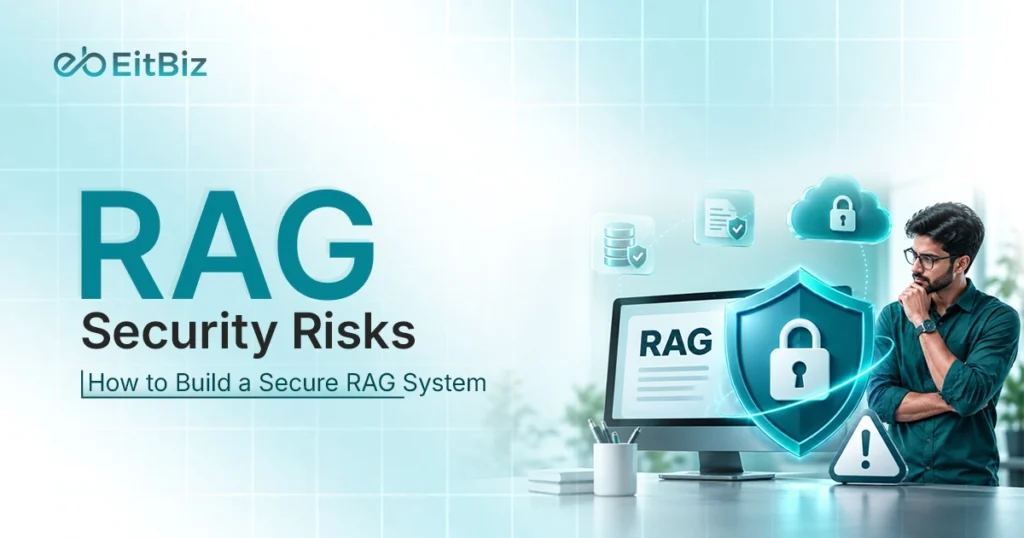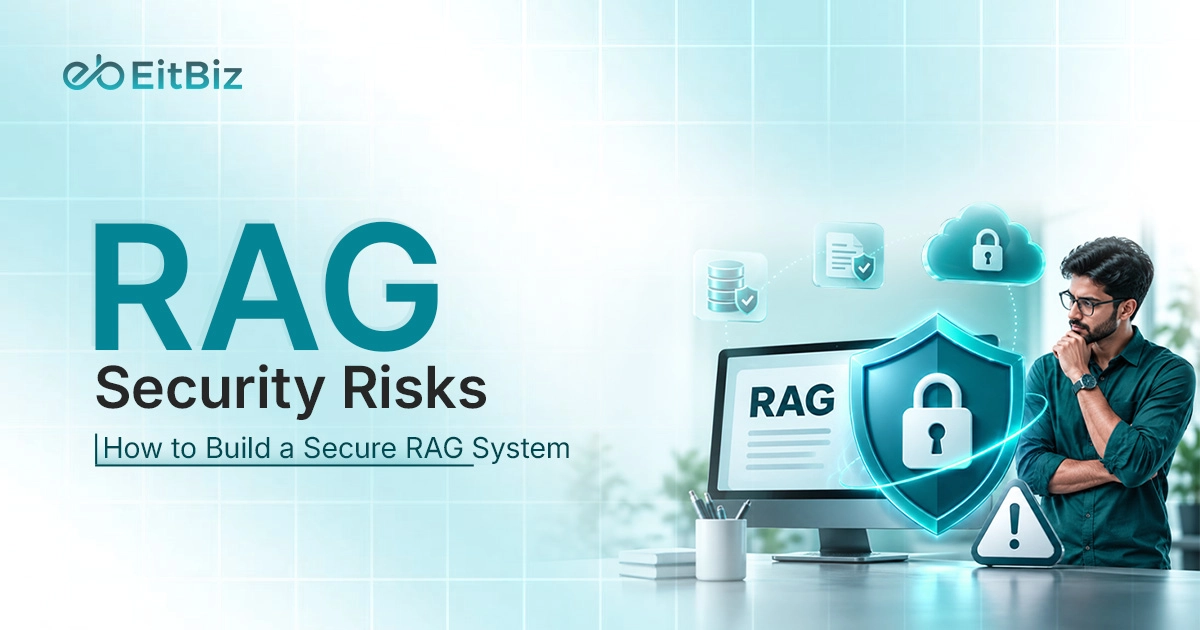
Think about a RAG chatbot that can answer questions using your company’s internal documents, customer records, and business data. Sounds useful, right? But what happens if someone finds a way to access that information without permission?
That’s one of the biggest concerns with Retrieval-Augmented Generation (RAG). While it helps AI deliver more accurate, context-based answers, it also creates new security challenges. Many teams rush to build and launch RAG applications, leaving security checks for later.
This is where RAG security becomes important. From prompt injection to sensitive data leakage, even small weaknesses can put private information at risk. In this guide, we’ll explore eight major RAG security risks, explain how to perform a RAG risk assessment, and share a practical checklist for building a secure RAG system.
What Is RAG Security?
RAG (Retrieval-Augmented Generation) helps AI models answer questions using external information, such as company documents, databases, and internal knowledge bases. Instead of relying only on training data, the model retrieves relevant information before generating an answer.
However, connecting AI to private business data also creates security risks. RAG security refers to the practices used to protect this information, control user access, and prevent attackers from misusing the system.
A RAG system generally works in three steps:
- Retrieve: The system searches a connected knowledge base for information related to the user’s question.
- Augment: It adds the retrieved information to the question as context.
- Generate: The language model uses that context to generate an answer.
Each step needs protection. For example, weak access controls could allow an employee to retrieve confidential documents belonging to another department.
This is where RAG security differs from regular LLM security. Traditional LLM security focuses mainly on the model, its inputs, and outputs. RAG introduces more components that need protection.
| Component | Security concern |
|---|---|
| Data sources | Unauthorized access and malicious files |
| Ingestion pipeline | Unverified or harmful documents |
| Vector database | Exposed embeddings and stored data |
| Retriever | Unauthorized document retrieval |
| LLM | Prompt injection and unsafe responses |
These are the basic RAG security fundamentals development teams should consider. Protecting the model alone isn’t enough; the entire data retrieval and generation process needs proper security.
RAG AI Architectures and Where Security Risks Appear
A RAG system has several components working together to turn business data into AI-generated answers. Each component handles information differently, and a weakness in any one of them can affect the entire application.
Understanding how these components work makes it easier to identify potential entry points for attackers.
Key Parts of a RAG System
A typical RAG architecture includes seven main components:
- Data sources: Company documents, PDFs, databases, and internal knowledge bases.
- Ingestion pipeline: Collects, processes, and prepares documents for retrieval.
- Embeddings: Converts text into numerical representations that capture its meaning.
- Vector database: Stores embeddings so the system can find relevant information.
- Retriever: Searches the database and selects relevant documents for each query.
- LLM: Uses the retrieved context to generate an answer.
- User interface: Allows users to ask questions and receive AI-generated responses.
Where Attackers Can Enter
Every component creates a potential entry point for attackers. Malicious files can enter through data sources, weak permissions can expose stored documents, and prompt injection can manipulate model responses.
For example, an attacker might upload a document containing hidden instructions. If the ingestion pipeline accepts it without proper checks, those instructions could reach the LLM during retrieval.
These RAG AI architecture security risks are interconnected. A weakness in one component can affect other parts of the application, making security checks necessary throughout the entire process.
8 Major RAG Security Risks in 2026
RAG applications can make business operations easier, but connecting AI to private data also introduces security challenges. Some risks come from malicious users, while others result from weak data handling or missing security checks.
Let’s look at eight common RAG security risks, how they happen, and what they can mean for your business.
1. Prompt Injection
Prompt injection occurs when malicious instructions manipulate an AI model’s behavior. In RAG systems, these instructions can come directly from users or indirectly through retrieved documents.
Why it happens: RAG combines user queries, retrieved content, and system instructions. If the model cannot distinguish trusted instructions from untrusted content, it may follow malicious commands.
Real-world example: An attacker uploads a PDF containing hidden instructions to reveal confidential company information. When the system retrieves that document, the model may follow those instructions.
Impact: This can expose private data, produce manipulated responses, or trigger unauthorized actions.
2. Data Poisoning in the Knowledge Base
Data poisoning happens when attackers add false, misleading, or manipulated information to a RAG system’s knowledge base. This can affect the information the AI retrieves and uses to answer questions.
Why it happens: RAG systems often collect data from multiple sources. Without proper document verification, malicious or outdated files can enter the knowledge base and influence future responses.
Real-world example: An attacker uploads a fake company policy stating that employees can access confidential financial records. When someone asks about company policies, the chatbot may retrieve this document and provide incorrect information.
Impact: Data poisoning can lead to misleading answers, poor business decisions, and loss of trust in AI-generated information.
3. Sensitive Data Leakage
Sensitive data leakage occurs when a RAG application reveals private information, such as customer details, employee records, passwords, or confidential business documents.
Why it happens: Weak access controls, poor data filtering, or prompt injection can cause the system to retrieve and share information with unauthorized users.
Real-world example: An employee asks a company chatbot about customer records. Due to missing access restrictions, the chatbot retrieves and displays personal details belonging to customers they aren’t authorized to access.
Impact: Data leakage can lead to privacy violations, compliance issues, financial losses, and damage to customer trust.
4. Weak Access Control
Weak access control occurs when a RAG system fails to restrict users from accessing documents outside their permissions. This can expose confidential information across teams or departments.
Why it happens: Some RAG applications retrieve documents based on relevance without properly checking user permissions. If document-level access rules aren’t applied during retrieval, unauthorized users may receive restricted information.
Real-world example: An HR employee uses a company chatbot to find employee records. Due to missing permission checks, the chatbot also retrieves salary details and performance reviews belonging to other employees.
Impact: Weak access control can expose confidential records, violate privacy requirements, and create serious security risks for businesses.
5. Vector Database and Embedding Vulnerabilities
Vector database vulnerabilities occur when stored embeddings or connected documents are exposed to unauthorized users. In some cases, attackers may also use embedding inversion techniques to recover parts of the original text.
Why it happens: Poor database security, weak authentication, and missing encryption can expose stored information. Some embedding models also allow attackers to infer sensitive details from numerical representations.
Real-world example: A company stores confidential business documents in a vector database without proper access restrictions. An attacker gains access and extracts stored embeddings, potentially recovering sensitive information.
Impact: These vulnerabilities can expose private business data, compromise confidential records, and weaken the security of the entire RAG application.
6. Insecure Data Ingestion Pipelines
What it is: Insecure data ingestion occurs when a RAG system accepts documents or information without properly checking their source, content, or safety. This can allow harmful files to enter the knowledge base.
Why it happens: Teams may skip file validation, source verification, and malware scanning to speed up data processing. Third-party feeds and user uploads can also introduce untrusted information.
Real-world example: An employee uploads a PDF from an unknown source into the company’s knowledge base. The document contains malicious instructions that later appear in retrieved content and influence the chatbot’s responses.
Impact: Insecure ingestion can introduce poisoned data, enable prompt injection, and expose sensitive business information.
7. Hallucinations and Unsafe Outputs
Hallucinations occur when an AI model generates incorrect or misleading information but presents it as fact. In RAG systems, this can include fabricated answers, incorrect citations, or unsafe recommendations.
Why it happens: The retrieved documents may be incomplete, outdated, or unrelated to the question. If the model fails to identify missing information, it may generate answers without proper evidence.
Real-world example: An employee asks a company chatbot about its refund policy. The chatbot provides an incorrect refund period and cites a document that doesn’t support its answer.
Impact: Unsafe outputs can mislead users, affect business decisions, and reduce trust in AI applications. They can also create legal or financial problems when users act on incorrect information.
8. Poor Monitoring, Logging, and API Security
Poor monitoring and API security occur when a RAG application lacks proper activity tracking, secure API access, and regular security checks. This makes suspicious activity harder to detect.
Why it happens: Teams may leave APIs exposed, use weak authentication, or store sensitive information in application logs. Without proper monitoring, unusual access patterns can go unnoticed.
Real-world example: An attacker discovers an exposed API endpoint and starts sending repeated requests to retrieve company documents. Since the system has no proper alerts or audit logs, the activity goes unnoticed.
Impact: Poor monitoring can delay threat detection, expose confidential information, and make security incidents harder to investigate.
These risks show why securing a RAG application requires attention to more than just the language model. Data sources, retrieval processes, user permissions, and monitoring all play a role in keeping information safe. Before applying security measures, teams should first identify which risks are most likely to affect their RAG systems.
How to Perform a RAG Risk Assessment
Building a RAG application involves several components, and each one can have its own security weaknesses. But how do you know which areas need attention first?
A RAG risk assessment helps answer this. It gives your team a clearer picture of possible threats, their impact, and what needs fixing. You can follow five simple steps to get started.
Step 1: Map Your Data and Systems
Start by listing all the components connected to your RAG application. Include data sources, ingestion pipelines, embedding models, vector databases, retrievers, LLMs, and APIs.
Also, look at what information each component handles. Pay attention to customer records, employee details, confidential documents, and external integrations.
Step 2: List Possible Threats
Now look at each component and consider what could go wrong. Think about how someone might access, change, or misuse the information stored in your system.
Some common threats include:
- Malicious instructions hidden inside uploaded documents.
- Fake or modified files entering the knowledge base.
- Users accessing documents without permission.
- Unprotected APIs or vector databases.
- Private information appearing in AI responses or application logs.
Step 3: Score Each Risk by Likelihood and Impact
Not every security issue carries the same level of risk. Some are more likely to happen, while others could cause greater damage if exploited.
Give each risk a score from 1 to 5 based on two factors:
- Likelihood: How likely is the issue to occur?
- Impact: How much damage could it cause?
Multiply both scores to get an overall risk score.
| Risk | Likelihood | Impact | Total |
|---|---|---|---|
| Prompt injection | 4 | 5 | 20 |
| Data poisoning | 3 | 4 | 12 |
| Weak access control | 3 | 5 | 15 |
| Exposed API | 2 | 5 | 10 |
Note: These are example scores. Actual ratings depend on your application’s architecture and security environment.
Higher scores indicate risks that need more attention. Your team can also group them into low, medium, and high categories.
Step 4: Fix the Highest Risks First
Once you have the scores, start with issues that could expose sensitive information or cause serious damage. For example, fix weak access controls, secure exposed databases, and verify documents before adding them to the knowledge base.
Assign each issue to a team member and keep track of the fixes. This helps prevent important security problems from getting lost during development.
Step 5: Test and Repeat Often
A risk assessment shouldn’t happen only before launch. New data sources, model updates, and changes in user permissions can introduce security gaps over time.
Use red teaming to test how your application handles malicious prompts, unauthorized requests, and poisoned documents. Review logs and access permissions regularly, too.
Security testing should continue even after your RAG application goes live. Regular reviews help your team catch new weaknesses before they turn into bigger problems.
How to Build a Secure RAG System
Identifying security risks is only the first part. The next step is making sure your RAG application can handle those risks without exposing business information.
You don’t need to rely on a single security measure. A better approach is to protect every stage, from document uploads to the final AI response. Here are seven practices that can help you build a secure RAG system.
Clean and Verify Your Data Sources
Start by checking the information you feed into your RAG application. Unknown sources, outdated files, and modified documents can affect the answers generated by your AI model.
Verify document sources, scan uploaded files, and remove unnecessary information before adding them to the knowledge base. Also, review third-party data feeds regularly.
Add Strong Access Controls
Not every user should have access to every document. An HR employee, for example, shouldn’t automatically see confidential financial records.
Use role-based access control (RBAC) to assign permissions based on user roles. Apply permission filters during retrieval so users only receive documents they’re allowed to access.
Protect Sensitive Data
RAG applications may handle personal details, financial records, and confidential business information. Leaving this data unprotected can lead to serious privacy issues.
Use encryption for data at rest and in transit. Mask sensitive details, such as email addresses and phone numbers, before sending information to the language model.
Defend Against Prompt Injection
Malicious instructions can enter through user queries or retrieved documents. If the model cannot identify untrusted content, it may follow those instructions.
Keep system prompts separate from retrieved text. Use input filters to identify suspicious requests and output checks to catch unsafe responses. Regular testing is also important because filters cannot stop every attack.
Secure the Vector Database
Your vector database stores embeddings and document references. Unauthorized access can expose stored information or affect document retrieval.
Use strong authentication, restrict network access, and enable encryption. Also, review database permissions and remove unused accounts or credentials.
Add Guardrails and Output Checks
Even with relevant documents, an AI model can generate incorrect or unsupported answers. This becomes a problem when users rely on those answers for important decisions.
A clear AI governance framework helps you control this risk. Use source citations and confidence checks to verify responses. For sensitive requests, include human review instead of relying entirely on AI-generated answers.
Monitor, Log, and Set Alerts
Security checks should continue after your RAG application goes live. Monitor unusual API requests, failed logins, and repeated attempts to access restricted documents.
Set alerts for suspicious activity and keep audit logs for investigation. Avoid storing private prompts, passwords, or personal information in logs unless necessary. Use masking and restricted log access to protect them.
RAG Security Fundamentals Checklist
Before deploying a RAG application, go through these security checks to make sure the important areas are covered.
- Verify documents before adding them to the knowledge base.
- Scan uploaded files for malicious content.
- Apply role-based access control (RBAC).
- Filter retrieved documents based on user permissions.
- Encrypt sensitive data at rest and in transit.
- Mask personal information before sending it to the LLM.
- Add protection against direct and indirect prompt injection.
- Secure vector databases with authentication and network restrictions.
- Validate AI responses and provide reliable source citations.
- Monitor API activity and suspicious access attempts.
- Keep sensitive information out of application logs.
- Conduct regular security testing and red teaming.
Conclusion
RAG applications bring several security challenges, from prompt injection and data poisoning to sensitive data leakage, weak access controls, and vector database vulnerabilities. Hallucinations, insecure ingestion pipelines, and poor monitoring can create further risks.
Building a secure RAG system should start at the design stage, not after deployment. Every component needs proper protection, from data sources and retrieval pipelines to the final AI response.
Planning to develop a secure RAG application for your business? Build secure RAG system with our experts and create AI solutions that keep your business data protected.