Think about your morning. You wake up to a phone alarm, check the weather, and book a cab. All of this happens with a few taps on mobile apps.
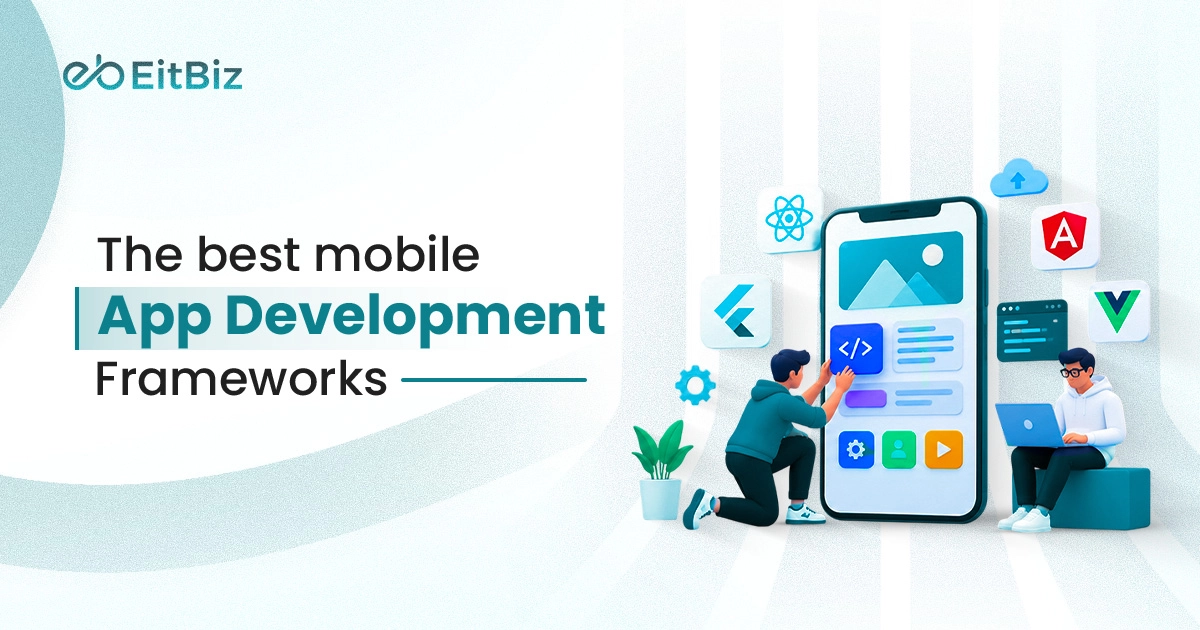
Have you ever wondered how these apps are built? Behind each one is a mobile app framework. It is a set of ready-made tools and code that helps developers build apps faster.
In the past, you had to learn complex programming languages for each platform. That is no longer true. Today, the best mobile app development frameworks let you build for Android and iOS with a single codebase. This saves time and money, especially for teams with tight budgets.
Still, no single app development framework suits every project. Some are built for speed. Others shine in performance, design, or native features.
In this guide, you will learn what a mobile app development framework is and how it works. We will also compare the best mobile development frameworks in 2026. This will help you pick the right one for your app.
Best Mobile App Development Frameworks in 2026
The mobile app world changes fast. Some popular tools from a few years ago are now outdated or no longer supported. So we built this list from scratch for 2026.
We picked each framework based on five things: performance, community support, ease of learning, platform reach, and long-term backing. The list covers both cross-platform and native options, so you can compare them side by side.
Here are the best mobile app development frameworks you can trust in 2026.
1. Flutter
Flutter is a free, open-source framework made by Google. It lets you build apps for Android, iOS, web apps, and desktop from one codebase. Developers write Flutter apps in Dart, a simple language that is easy to learn.
Flutter does not rely on each platform’s built-in UI parts. Instead, it draws every pixel with its own rendering engine. As a result, your app looks and feels the same on every device.
Flutter now has one of the largest communities in mobile development. Big brands like Google Pay, BMW, and Nubank use it for their apps.
Key features of Flutter:
- Hot reload: see code changes in seconds without restarting the app
- Rich widget library: ready-made UI parts for Material and iOS-style designs
- Fast performance: code compiles to native machine code
- Wide reach: one codebase for six platforms
Best for: startups and businesses that want a polished app on Android and iOS, fast and on a budget.
Things to consider: Flutter apps can be larger in file size. Your team may also need time to learn Dart.
2. React Native
React Native is a free, open-source framework built by Meta, the company behind Facebook. It lets you build Android and iOS apps using JavaScript or TypeScript. If your team already knows React for websites, they can start with React Native quickly.
Unlike Flutter, React Native uses each platform’s real native UI parts. So buttons, menus, and lists look and behave the way users expect on their phone. Its newer architecture also makes apps faster and smoother than before.
Many well-known apps use React Native, including Instagram, Shopify, Discord, and Microsoft Office.
Key features of React Native:
- Fast Refresh: see code changes almost instantly
- Native UI parts: apps feel natural on both Android and iOS
- Reusable components: build once and use across screens and platforms
- Expo toolkit: set up, test, and publish apps with less effort
- Huge community: thousands of ready-made libraries and plugins
Best for: teams with JavaScript or React skills that want to launch on both platforms fast.
Things to consider: Some advanced device features still need native code. The quality of third-party libraries can also vary.
3. Kotlin Multiplatform
Kotlin Multiplatform (KMP) is an open-source framework built by JetBrains. Google also officially supports it. It lets you share code across Android, iOS, web, and desktop apps.
KMP works a little differently from Flutter and React Native. You share the core logic of your app, like data, networking, and business rules. You can then build the screens with each platform’s native UI. If you want to share the screens too, Compose Multiplatform lets you do that, including on iOS.
This flexible approach is why KMP is one of the fastest-growing frameworks today. Brands like Netflix, McDonald’s, and Cash App use it in their apps.
Key features of Kotlin Multiplatform:
- Shared business logic: write core code once and use it on every platform
- Native performance: code compiles to native code for each platform
- Flexible UI choice: use native UI or share screens with Compose Multiplatform
- Step-by-step adoption: add KMP to an existing app one feature at a time
- Full native access: use any Android or iOS feature directly
Best for: businesses with existing Android apps, or teams that want native quality with shared code.
Things to consider: KMP has fewer ready-made libraries than Flutter or React Native. iOS developers may also need time to learn Kotlin.
Want to build with Kotlin? Explore our Kotlin app development services.
4. .NET MAUI
.NET MAUI (Multi-platform App UI) is a free, open-source framework built by Microsoft. It lets you build apps for Android, iOS, Windows, and macOS from one codebase. Developers write .NET MAUI apps in C# and XAML.
.NET MAUI is the official successor to Xamarin. Microsoft ended Xamarin support in May 2024. So if you have an older Xamarin app, .NET MAUI is the natural next step.
The framework uses each platform’s native UI controls. This gives your app a familiar look and smooth performance on every device. It also fits neatly into the wider Microsoft ecosystem, including Visual Studio and Azure.
Key features of .NET MAUI:
- Single project setup: manage all platforms from one project
- Native UI controls: apps look and feel native on each device
- Hot Reload: update code and UI without restarting the app
- Blazor Hybrid: reuse web UI code inside your mobile app
- Strong Microsoft support: regular updates and long-term backing
Best for: enterprises that already use C# and .NET, or teams moving old Xamarin apps to a supported framework.
Things to consider: The community is smaller than Flutter’s or React Native’s. It also has no official support for Linux desktop apps.
Moving from Xamarin or starting fresh? Our cross-platform app development team can help.
5. Ionic with Capacitor
Ionic is a free, open-source framework for building mobile apps with web technologies. Developers use HTML, CSS, and JavaScript to create apps for Android, iOS, and the web. It works with popular tools like Angular, React, and Vue.
Ionic gives you the look and feel of the app. Capacitor, its partner tool, connects the app to your phone’s features. This includes the camera, GPS, storage, and push notifications. Capacitor replaced the older Apache Cordova and is faster and easier to use.
Because Ionic runs on web code, one codebase can power a mobile app and a Progressive Web App (PWA). This makes it a cost-effective choice for many businesses.
Key features of Ionic:
- Web-based development: build apps with skills your web team already has
- Ready-made UI parts: 100+ components that adapt to Android and iOS styles
- Native device access: use phone features through Capacitor plugins
- PWA support: launch the same app on the web with little extra work
- Framework freedom: works with Angular, React, Vue, or plain JavaScript
Best for: web development teams, business apps, internal tools, and companies that want a mobile app and a PWA together.
Things to consider: Ionic apps run inside a web view. So they may feel slower than Flutter or native apps for heavy graphics or complex animations.
Want a fast, budget-friendly app? See our Ionic app development services.
6. SwiftUI
SwiftUI is Apple’s modern framework for building native Apple apps. It works across all Apple devices, including iPhone, iPad, Mac, Apple Watch, Apple TV, and Vision Pro. Developers write SwiftUI apps in Swift, Apple’s fast and safe programming language.
SwiftUI is not a cross-platform tool. It is the best choice when you only need an app for Apple devices. Since Apple builds it, your app gets new iOS features and design updates first.
SwiftUI uses a simple, declarative style. You describe how the screen should look, and SwiftUI handles the rest. This means less code, fewer bugs, and faster development.
Key features of SwiftUI:
- Live previews: see design changes in Xcode as you type
- Less code: build clean screens with short, readable code
- Built-in features: dark mode, animations, and accessibility support out of the box
- All Apple platforms: one framework for iPhone, iPad, Mac, Watch, TV, and Vision Pro
- Works with UIKit: mix SwiftUI with older iOS code when needed
Best for: iPhone-first apps, premium consumer apps, and businesses that want the best possible iOS experience.
Things to consider: SwiftUI only works on Apple devices, so you need a separate app for Android. You also need a Mac to build with it.
Building for iPhone? Explore our SwiftUI app development services or iOS app development services.
7. Jetpack Compose
Jetpack Compose is Google’s modern toolkit for building native Android apps. It is free, open source, and the official way Google recommends building Android screens today. Developers write Compose apps in Kotlin, Android’s main programming language.
Like SwiftUI, Jetpack Compose is a native framework, not a cross-platform one. It is the best choice when you want the strongest possible Android app. Since Google builds it, your app gets new Android features and design updates early.
Compose uses a simple, declarative style. You describe what the screen should show, and Compose updates it for you. Google’s own apps, like the Play Store and Threads, use Compose.
Key features of Compose:
- Less code: build screens with far less code than older Android methods
- Live previews: see design changes in Android Studio right away
- Material Design 3: ready-made modern UI parts and themes
- Easy animations: add smooth motion with just a few lines of code
- Works with old code: add Compose to existing Android apps step by step
Best for: Android-first apps, apps that need deep Android features, and businesses with large Android user bases.
Things to consider: Jetpack Compose only works on Android, so you need a separate iOS app. However, Compose Multiplatform can extend the same skills to iOS with Kotlin Multiplatform.
Building for Android? See our Android app development services.
8. NativeScript
NativeScript is a free, open-source framework for building native Android and iOS apps. Developers write NativeScript apps in JavaScript or TypeScript. It works with popular tools like Angular, Vue, React, and Svelte.
NativeScript gives you direct access to every native Android and iOS feature from JavaScript. You don’t need to wait for someone to build a plugin first. This makes it great for apps that need deep device features.
Unlike Ionic, NativeScript does not run inside a web view. It shows real native UI parts, so apps feel smooth and natural. The project was first built by Progress and is now led by its community under the OpenJS Foundation.
Key features of NativeScript:
- Direct native API access: use any Android or iOS feature right away
- Truly native UI: no web view, so apps feel fast and natural
- Framework freedom: works with Angular, Vue, React, Svelte, or plain JavaScript
- Code sharing: reuse code between your web app and mobile app
- Hot Module Replacement: see code changes without restarting the app
Best for: JavaScript and Angular teams that want native performance and full control over device features.
Things to consider: NativeScript has a smaller community than Flutter or React Native. So finding plugins, guides, and skilled developers can take more effort.
Need skilled developers for your next app? You can hire dedicated developers from EitBiz.
Final Thoughts
There is no single best mobile app development framework for every project. The right choice depends on your goals, budget, timeline, and team skills. Cross-platform tools like Flutter and React Native help you launch faster on both platforms. Native tools like SwiftUI and Jetpack Compose give you the best experience on one platform.
We have a lot of expertise in professional mobile app development. In reality, we’ve already created tens of thousands of mobile apps for Android and iOS by utilizing the top mobile app development frameworks in 2026. We’re only a click away if you’re ready to start your mobile app development project!
Ready to start? Explore our mobile app development services or contact us for a free consultation.